Our Blogs & Insights
Stay informed with our blog, where we share valuable insights, best practices, and expert commentary
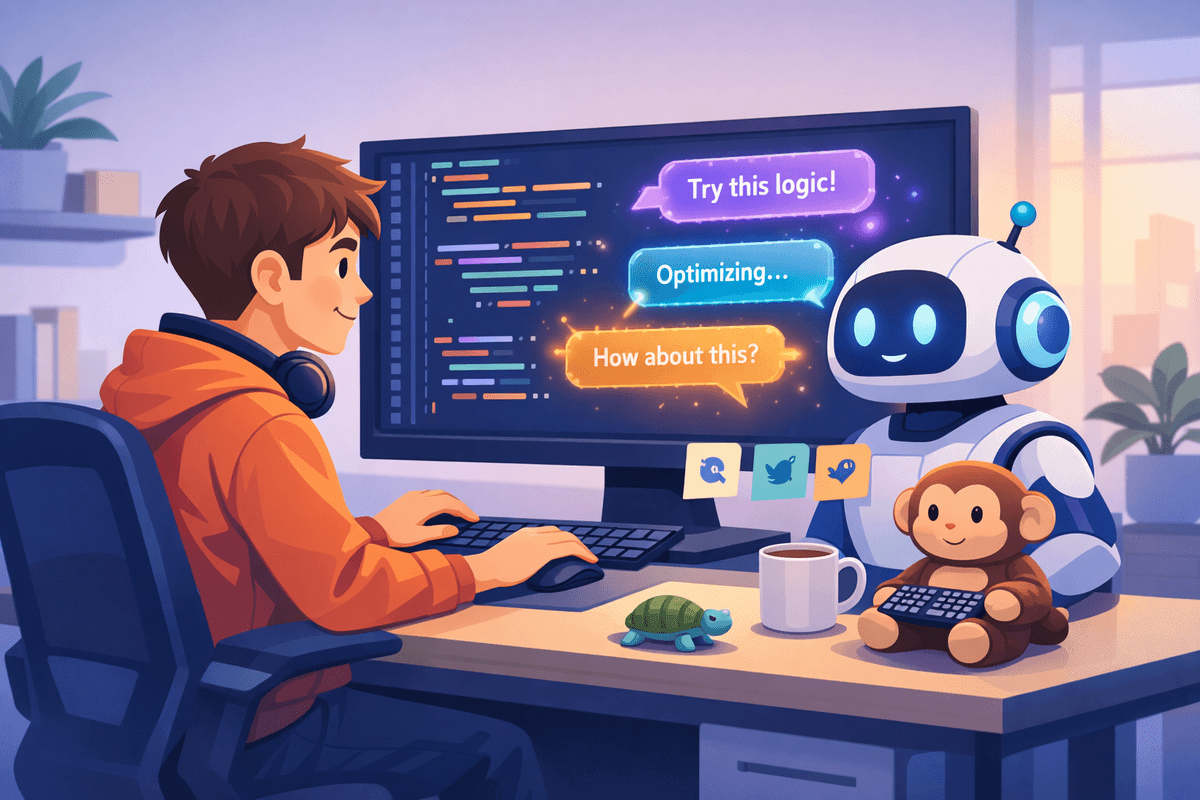
AI-Powered Development in 2026: A Survival Guide for Junior Developers
In 2025, AI-driven automation contributed to over 245,000 tech layoffs worldwide. Yet at the same time, 82% of IT firms in Europe are planning aggressive hiring in 2026. The contradiction reveals an important truth: the industry isn’t shrinking—it’s changing. Entry-level coding tasks that once helped juniors build experience are increasingly automated. The barrier to entry feels higher, and competing with AI-augmented senior developers can seem overwhelming. But this isn’t the end of junior roles. It’s a reset. AI in programming is not replacing developers; it’s redefining them. By 2024, 75% of companies were already integrating AI into their development workflows, and 73% of tech leaders named AI expansion as a top priority. Meanwhile, software development spending is still growing, with long-term projections showing strong market expansion. Many AI-adopting companies report net job creation rather than reduction. The shift is less about fewer jobs and more about different skills. Developers are moving from pure code writers to system orchestrators—curators, reviewers, integrators, and problem-solvers. Around 65% of developers expect their roles to evolve toward architecture, integration, and AI-assisted decision-making. AI handles repetitive tasks like code generation, test writing, documentation, and refactoring. This frees developers to focus on higher-level thinking, system design, and understanding business context. For junior developers, survival depends on adaptation. The first strategy is mastering AI collaboration. That means learning how to write clear, structured prompts and give AI tools the right context. Treat AI as a capable assistant that needs guidance, not as a magic solution. Strong prompting skills and tool fluency become core competencies. Second, build a differentiated portfolio. Instead of many small, unfinished projects, focus on a few polished, real-world applications. Demonstrate clean architecture, readable code, documentation, and thoughtful problem-solving. Quality signals maturity. Third, learn to debug AI-generated code effectively. Nearly half of developers report that debugging AI output can take longer than fixing human-written code. Being able to quickly identify subtle logical flaws, security risks, or inefficiencies gives you a competitive advantage. Fourth, actively participate in code reviews. Reviews expose you to larger systems, team standards, and architectural reasoning. They sharpen both technical and communication skills, two areas AI cannot replace. Fifth, build your personal brand. Share insights, document projects, attend meetups, and connect with other developers. Visibility and reputation often open opportunities that technical skills alone cannot. Practically, using AI well requires structure. Define clear task boundaries—use AI for scaffolding, boilerplate, API integrations, and repetitive tasks, while keeping core business logic under your control. Provide detailed context, including project structure and constraints. Ask AI to explain its reasoning before generating code, then review carefully. Never accept suggestions blindly. Studies show that a significant portion of AI-generated programming answers contain errors. Always test thoroughly, verify dependencies, and ensure you understand what you’re merging into production. The future doesn’t belong to developers who resist AI, nor to those who rely on it blindly. It belongs to those who collaborate with it strategically. By mastering AI tools, strengthening fundamentals, and focusing on thoughtful problem-solving, junior developers can transform disruption into opportunity and position themselves as indispensable in the AI-powered era.

Refactoring Legacy JavaScript to ES6+ Classes (Without Breaking Everything)
If you’ve ever opened an old JavaScript file full of constructor functions and prototype chains, you know the feeling. It works… but it feels fragile, hard to read, and painful to extend. Refactoring legacy procedural JavaScript (pre-ES6 patterns) into modern ES6+ classes can dramatically improve readability, maintainability, and IDE support without changing behavior. The key? Move carefully. Test everything. Change structure, not logic. Step 1: Protect the Existing Behavior Before touching the code, write tests. Legacy JavaScript often has little to no test coverage. Start by “characterizing” the current behavior: record inputs, outputs, edge cases, and instance behavior. Use Jest or Vitest to create a safety net. For complex object outputs, consider: - Snapshot testing - Approval testing Sometimes, capturing entire object states and diffing them is safer than writing dozens of granular assertions, especially in poorly documented systems. Your goal isn’t perfect architecture yet. It’s preventing regressions. Step 2: Understand the Structure Look for: - Constructor functions - prototype. method definitions - Inheritance via {Object.create} - Manual constructor reassignment - Shared state through globals - Immediately-invoked constructor patterns (new function() {}) Understanding the prototype chain is critical before replacing it with class and extends. **Hoisting Gotcha : - Constructor functions are hoisted. Class declarations are not. If legacy code calls a constructor before its definition in the file, converting it directly to a class will break execution. A simple reorder can prevent subtle runtime errors. Step 3: Refactor Incrementally Don’t rewrite everything. Instead: - Extract one constructor module - Add or confirm tests - Wrap it in a class shell - Move prototype methods inside the class - Replace inheritance with extends - Run tests Small, safe steps beat big rewrites every time. **Mapping Legacy Patterns to Modern Classes :- Here’s how common patterns translate: - "function Foo() {} + Foo.prototype.method = …" → "class Foo { method() {} }" - "Foo.prototype = Object.create(Bar.prototype)" → "class Foo extends Bar {}" - "var thing = new function() { ... }" → Plain object literal, or singleton class instance (if instanceof matters) - Factory functions returning objects → Static methods like static create() - Shared mutable globals → Encapsulated state or private fields (#field) when appropriate Classes eliminate manual prototype manipulation and make inheritance cleaner and easier to reason about. **Best Practices (and Pitfalls) :- Always preserve behavior. Watch for differences in instanceof, constructor behavior, and prototype checks. Be careful with method binding. Legacy code often relies on patterns like: - setTimeout(obj.method.bind(obj), 100) - Class methods are not auto-bound. If the original relied on .bind() or .call(), you’ll need to bind explicitly in the constructor or use arrow functions intentionally. - Call super() in subclasses. Forgetting this breaks everything fast. - Don’t over-engineer. Resist the urge to add getters/setters everywhere just because you can. If public properties worked before, keep them public. Refactoring is not redesign. - Use tooling but review manually. ESLint rules like 'prefer-class', 'no-prototype-builtins', and 'class-methods-use-this' can flag legacy patterns. Codemods and AI tools can help with mechanical transformations, but you are responsible for correctness. Performance differences between constructor functions and classes are negligible in real-world apps. Focus on clarity, not micro-optimization. **Why This Matters? Refactoring to ES6+ classes isn’t just about modern syntax. It improves: - Code readability -Team collaboration -IDE autocomplete and static analysis -TypeScript compatibility -Long-term maintainability Done incrementally and test-first, this migration strengthens your codebase without disrupting production. Modernizing legacy JavaScript doesn’t require a rewrite. It requires discipline and patience.

Building a Website: Picking the Right Architecture Without the Headache
Think of your website as a house. The architecture is its blueprint, deciding how rooms are connected, how strong the foundation is, and whether it can handle a few extra guests without collapsing. Choosing the right setup early can save a lot of headaches later. **Growing Without Breaking: Scalability** Let’s say your website starts small, with just a few visitors. But one day, it goes viral and suddenly, hundreds or thousands of people are knocking at your digital door. If your site isn’t built to scale, it could slow down or crash. A smart architecture separates your website into layers: front-end (what users see), back-end (where the logic lives), and database (where data is stored). Each layer can grow independently. Need more power for your users? Just add another server. Cloud platforms like AWS, Azure, or Google Cloud make this as easy as flipping a switch. **Locking the Doors: Security** Security isn’t just a password. it’s a mindset. A solid website architecture protects your data and your users. Encrypt sensitive information, validate user inputs, and keep your software up-to-date. Think of it like locking every window and door in your digital house, not just the front door. By building security into every layer of your site, you reduce the risk of hacks and breaches. This way, both you and your visitors can sleep more easily at night. **Easy Fixes and Updates: Maintenance** Websites aren’t “set it and forget it.” You’ll need updates, bug fixes, and new features. A clean, modular architecture makes this painless. When your code is organized and split into sections, you can update one part without breaking everything else. For example, redesigning the homepage shouldn’t force you to touch the database or server logic. This saves time, reduces downtime, and keeps your users happy. **Picking the Style: Monolith, Microservices, or Serverless** - Monolithic: Everything under one roof. Simple to start but harder to grow. - Microservices: Smaller, independent pieces. Easy to scale and update but more complex. - Serverless: The cloud handles the servers. Easy to scale and maintain, but you rely on your cloud provider. **The Takeaway** The right architecture balances growth, safety, and simplicity. Start small if needed, but plan for growth. Keep security in mind, and structure your code so updates don’t turn into nightmares. A good architecture isn’t just technical; it’s the backbone of a smooth, secure, and future-ready website.

SEO Optimization for Websites and Mobile Apps: Simple Steps to Boost Visibility
Imagine your website or mobile app as a shop in a huge city. You could have the best products or features, but if no one can find you, all that effort goes unnoticed. That’s where Search Engine Optimization (SEO) comes in. SEO is a set of strategies that help your digital presence get discovered by search engines like Google or app stores like Google Play and Apple App Store. Here’s a practical, concise guide for optimizing both websites and mobile apps. 1. Understand Your Keywords Keywords are the foundation of SEO. They are the words and phrases your audience uses when searching for content, products, or apps. **Websites:** Use tools like Google Keyword Planner or SEMrush to find high-volume, low-competition keywords. Include them naturally in titles, headings, meta descriptions, and content without overstuffing. **Mobile apps:** Include relevant keywords in your app name, short description, and app store tags. Focus on the first few lines of the description—they matter most for search visibility. 2. Create High-Quality Content Content quality is crucial for search engines and user engagement. **Websites:** Organize content with headings (H1, H2, H3), keep paragraphs short, and use images with descriptive alt text. Add internal links to related pages to keep users engaged. **Apps:** Describe features clearly, include screenshots or short demo videos, and encourage user reviews to boost rankings. 3. Speed and Performance Fast websites and apps keep users happy and improve SEO. **Websites:** Optimize images, minimize scripts, and use caching and CDNs. **Apps:** Keep your app lightweight, reduce heavy animations, and test performance on multiple devices. 4. Mobile-Friendliness Most users browse via mobile, making optimization essential. **Websites:** Use responsive design, ensure buttons and links are easy to tap, and avoid intrusive pop-ups. **Apps:** Create intuitive navigation, ensure touch targets are large, and test on multiple screen sizes and OS versions. 5. Links and Discoverability Backlinks and app links build credibility. **Websites:** Earn links from authoritative sites through guest blogging or collaborations. **Apps:** Use deep links, share app links on social media, and encourage positive reviews. 6. Monitor and Improve SEO is ongoing. Regular tracking ensures your strategies are effective. **Websites:** Use Google Analytics and Search Console to track user behavior and fix issues. **Apps:** Use analytics platforms like Firebase or App Annie to monitor downloads, engagement, and retention. 7. Technical SEO Technical aspects help search engines index your site or app efficiently. **Websites:** Use HTTPS, submit XML sitemaps, and optimize URLs, meta tags, and schema. **Apps:** Enable app indexing, use deep links, and optimize app store metadata for global reach. **Conclusion** SEO is about visibility, usability, and credibility. Websites benefit from good keywords, structured content, speed, and mobile-friendliness. Mobile apps thrive on discoverability, ratings, and smooth user experience. Continuous monitoring and improvements ensure your website or app reaches more users, keeps them engaged, and grows over time.